

en EN ms MS

Order Guide

Step 1

Click "Add To Cart" button.

Step 2

You can continue adding more items to your shopping cart by clicking "Continue Shopping" button. When you're ready to checkout, click "Checkout" button to procced.

Step 3

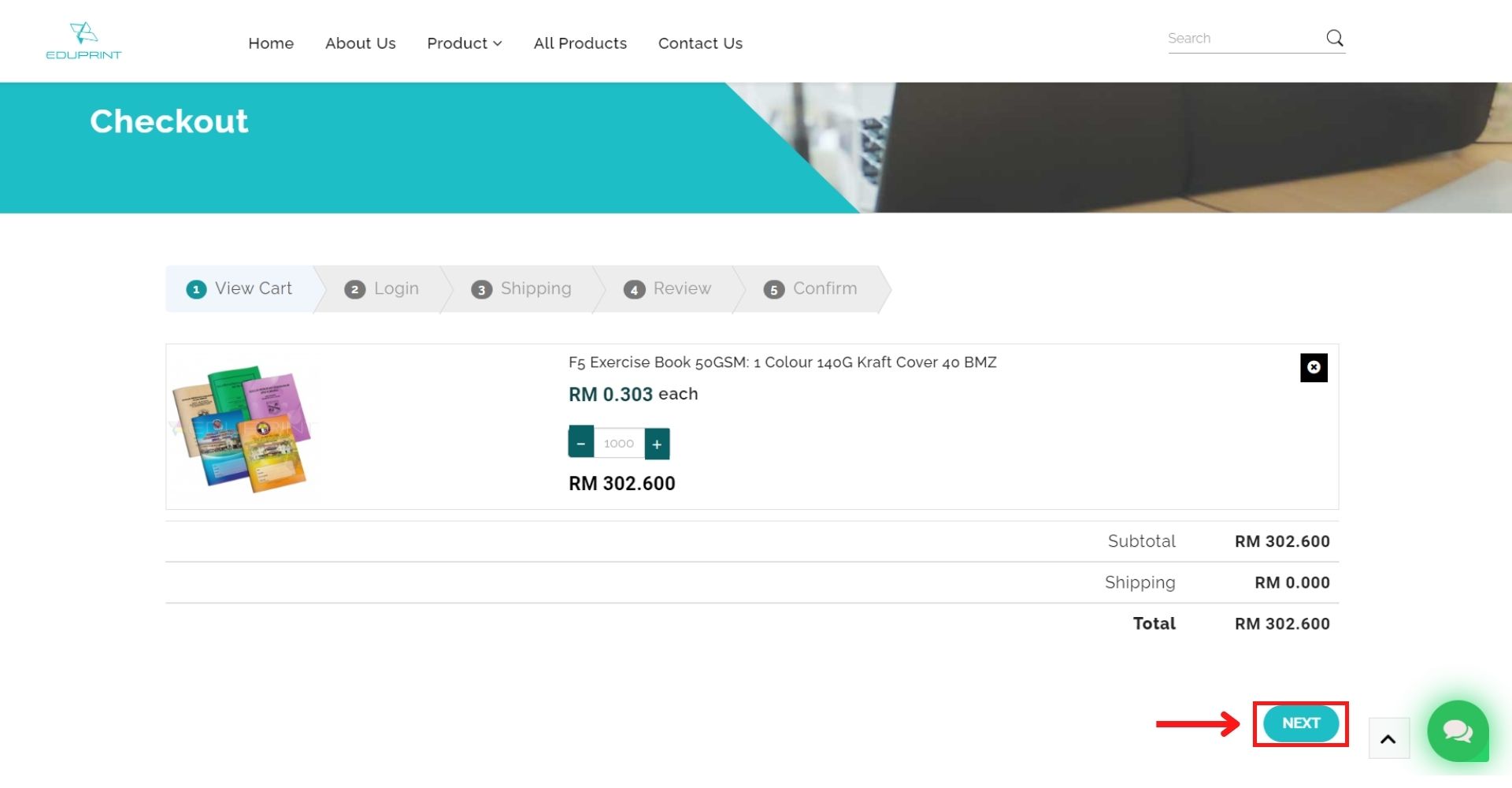
Check your cart. Once you confirm your items, proceed to next.

Step 4

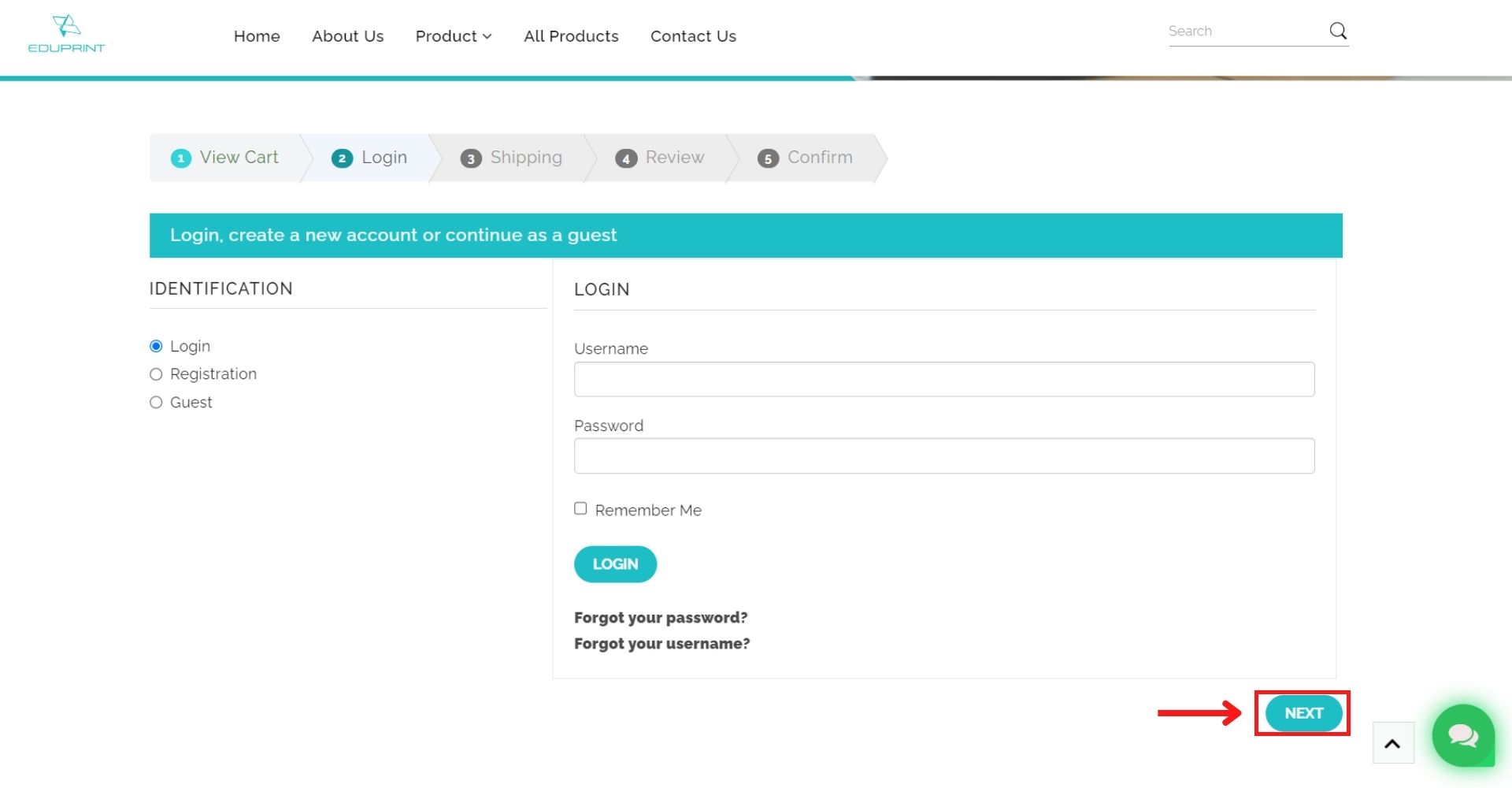
If you're a returning customer, please login using your email and password. Otherwise, please register by completing the registration form. Then click the "Next" button to continue.

Step 5

Choose your billing/shipping address. You can also edit them with the pen icon. Click "Next" button to proceed once you're done.

Step 6

Choose your shipping method. Then click "Next" button to proceed.

Step 7

Confirm your order and click the "PAY NOW" button to end your purchase. You can enter the coupon number if available.

Step 8

You can also opt to manually bank transfer by entering your transactions and receipts through payment notification page.
We Are Specialised In

Paper Products and Paper Stationery

We are always available around the clock to assist you with your inquiries.

We Are Specialised In

Paper Products and Paper Stationery

We are always available around the clock to assist you with your inquiries.

Image
Image

Contact Info

Lot PT 1612-1 Simpang Jalan Kundang,
Kampung Sg Bakau, Rawang, Selangor.
No Internet Connection
×

Find what you need faster with our free app!

Not now

Install this Eduprint on your : tap Apple Share Button and then Add to Home Screen

Register Form

Cancel

Sign in to your account

Register Form

Cancel

Sign in to your account